
App ScreenShots

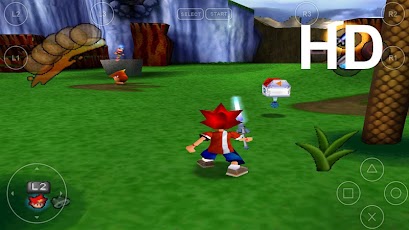
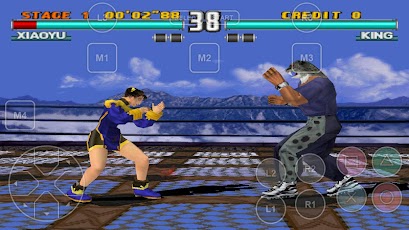
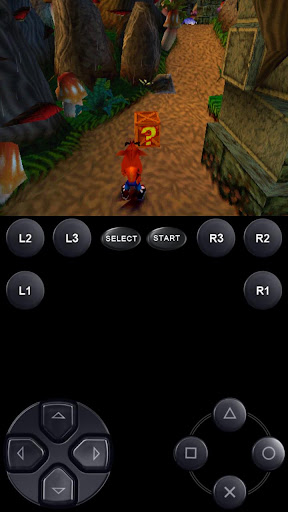
Description
Create an ISO image from your favorite games and enjoy playing them on your Android phone.
FPse features the following:
-High performance
-High compatibility
-High sound quality
-Real-time save states
-Audio track emulation (using .cue files)
-Force-feedback
-Dynamically loadable Overlay Pads
-Guncon emulation
-Analog Stick emulation
-Compatible with G-Sensor, Touchscreen and Hardware keys
-Supports .img, .iso, .bin, .cue, .nrg , .mdf and .Z disc image formats
-Full Support for IcontrolPAD, BGP100,Zeemote (via Bluez IME)
-OpenGL support via external plugin!
Version : 0.11.71
Review on :

Free FPse with BIOS (2 MB) :

How To Use FPse?
Steps :
1. Install application for your Android PSX emulator (FPse).
2. Create a folder for your Android SDCard bios >>> / sdcard / biospsx
3. After FPse application installed, you can run the emulator application, then do the bios settings.
4. Go to settings - system - Bios Loading
Bios file browser. select / sdcard/biospsx/SCPH1001.BIN
5. Search and Download ISO Playstation 1 games on your search engine.
or create your own collection of PS1 iso your PS1 CD collection software with Ultra ISO with the ISO or BIN format.
6. Create a folder for iso playstation 1 games on your SDCard >>> / sdcard / gamespsx
7. Put your playstation iso games on SDCard >>> sdcard / gamespsx
8. Open your FPse emulator application
9. Select the Load Game - choose / sdcard / gamespsx / iso games.
good luck and play it!!

No comments:
Post a Comment
Written by ShareApkDroid Author, Please give feedback and report for Dead links. Your comments are always be welcomed :)